
This is an old revision of the document!
Table of Contents
Blog me! Shop - Shop Version
Script version: 0.1
Last update: 04/01/2022
“Blog me! Shop - Shop Version” is a tool to manage how your Shop/Brand work with your Bloggers
This is a fully operational tool that links Second Life™ with an external platform, accessible via your in-world name and a password that can be retrieved from the Virtualty Office (http://maps.secondlife.com/secondlife/Falcata/70/154/26)
Basic elements
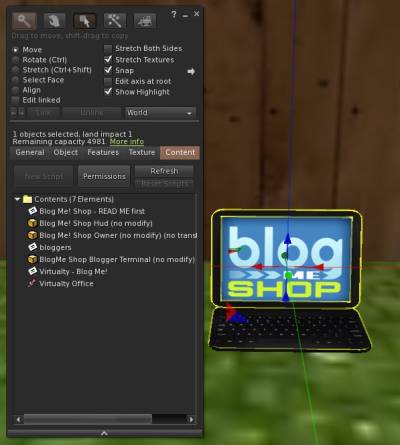
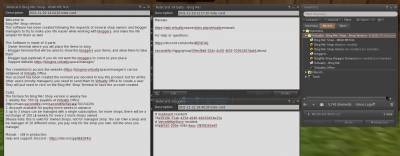 The tool is made of three elements:
Blog Me! Shop Owner- The interface to manage the shops/brands that you ownBlogMe Shop Blogger Terminal- The terminal to be accessed by the bloggers in order to take the items that are made available by the Shop/BrandBlog Me! Shop Hud- The (optional) Hud that can be given to the Bloggers in order to receive directly your items
Plus of course the Management website, that can be reached at
https://blogme.virtualty.space/manager/usersc/login.php
The access credentials can be obtained at Virtualty Office
(http://maps.secondlife.com/secondlife/Falcata/70/154/26)
First Use
If this is the very first time that you are using this tool, I can imagine it will be a little confusing, at the beginning.
Just rez the Blog Me! Shop Owner. A new window will open automatically, in this window you can either select a shop/brand you already own, or you can create a new one.
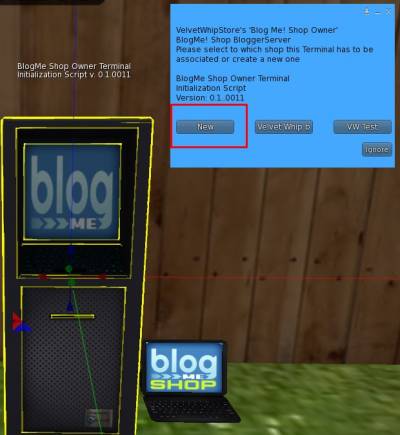
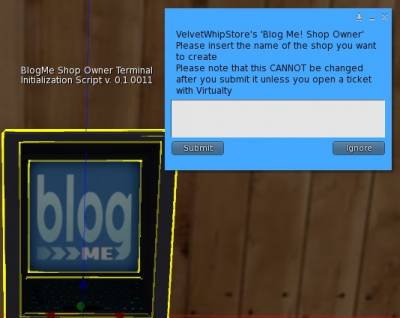 Please be VERY careful, the name cannot be changed after!
Once you have created your own very first shop/brand, you can go into the Web App by logging in in
https://blogme.virtualty.space/manager/usersc/login.php
using your credentials