
This is an old revision of the document!
Table of Contents
Blog me! Shop - Shop Version
Script version: 0.1
Last update: 04/01/2022
“Blog me! Shop - Shop Version” is a tool to manage how your Shop/Brand work with your Bloggers
This is a fully operational tool that links Second Life™ with an external platform, accessible via your in-world name and a password that can be retrieved from the Virtualty Office (http://maps.secondlife.com/secondlife/Falcata/70/154/26)
Basic elements
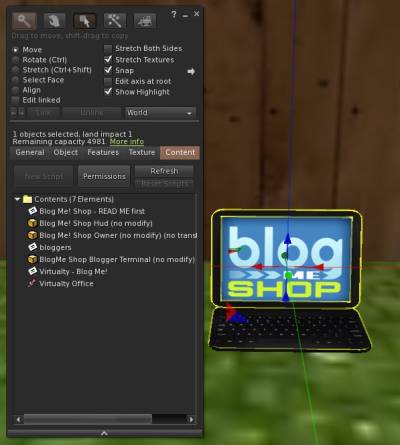
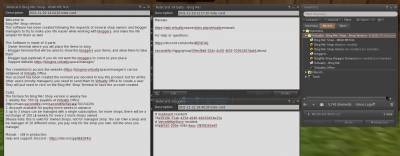 The tool is made of three elements:
Blog Me! Shop Owner- The interface to manage the shops/brands that you ownBlogMe Shop Blogger Terminal- The terminal to be accessed by the bloggers in order to take the items that are made available by the Shop/BrandBlog Me! Shop Hud- The (optional) Hud that can be given to the Bloggers in order to receive directly your items
Plus of course the Management website, that can be reached at
https://blogme.virtualty.space/manager/usersc/login.php
The access credentials can be obtained at Virtualty Office
(http://maps.secondlife.com/secondlife/Falcata/70/154/26)
First Use
If this is the very first time that you are using this tool, I can imagine it will be a little confusing, at the beginning.
Just rez the Blog Me! Shop Owner. A new window will open automatically, in this window you can either select a shop/brand you already own, or you can create a new one.
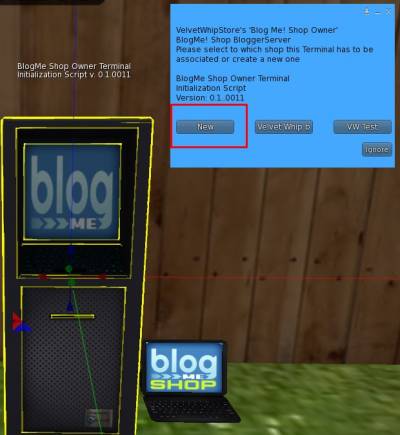
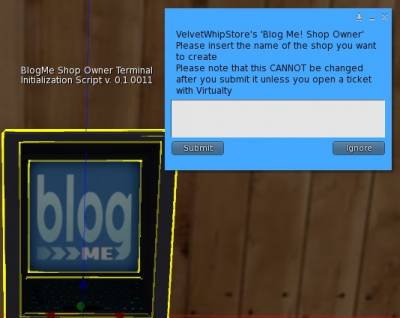 Please be VERY careful, the name cannot be changed after!
Once this is done, you will see that the name of your shop/brand will be present on the top of the Terminal
 Once you have created your own very first shop/brand, you can go into the Web App by logging in in
https://blogme.virtualty.space/manager/usersc/login.php
using your credentials
Once you have created your own very first shop/brand, you can go into the Web App by logging in in
https://blogme.virtualty.space/manager/usersc/login.php
using your credentials
Get the credentials
You should have received your credentials when you first got the product, but, if you have not or if you have forgotten your credentials, just go to the Virtualty Office (http://maps.secondlife.com/secondlife/Falcata/70/154/26) and search the Blog Me! Shop Password Recovery Terminal. Click on it and you will receive a message with your username and password
