
This is an old revision of the document!
Table of Contents
Draw me! Raffle system
Script version: 0.1
Last update: 29/06/2022
“Draw me!” is a tool to create and manage Raffles for your shop/brand, for your events or for whatever other reason you may find to randomly distribute what you want to one of your customers
This is a fully operational tool that links Second Life™ with an external platform, accessible via your in-world name and a password that can be retrieved from the Virtualty Office using the Manage Me! Password recovery terminal(http://maps.secondlife.com/secondlife/Falcata/70/154/26)
Basic elements
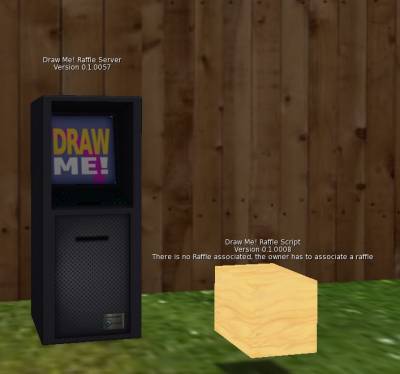 The tool is made of two elements:
DrawMe! Owner Terminal- The Owner Terminal that will be used to create the new Raffles and to extract the winnerDrawMe! Raffle Script- The actual Raffle element. This is just a simple box, because you can decide to put the scripts that are inside it in another object and use it as a Raffle element
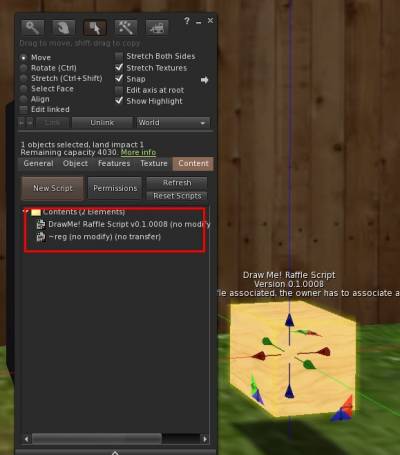 Plus of course the Management website, that can be reached at
https://manageme.virtualty.space/users/login.php
Let's start
The concept of this tool is to make as simple as possible to create and manage raffles.
First and foremost, rez the Owner Terminal, and reset the scripts (I know, annoying, I will fix it in the next release)
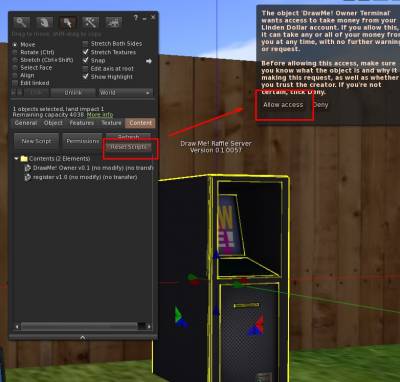
 You will be asked to allow to access your L$. This is of course to pay the fee for the raffles.
Once you have done this, you are ready to start working with the Raffle.
Clicking on the Owner Terminal a menu will show up:
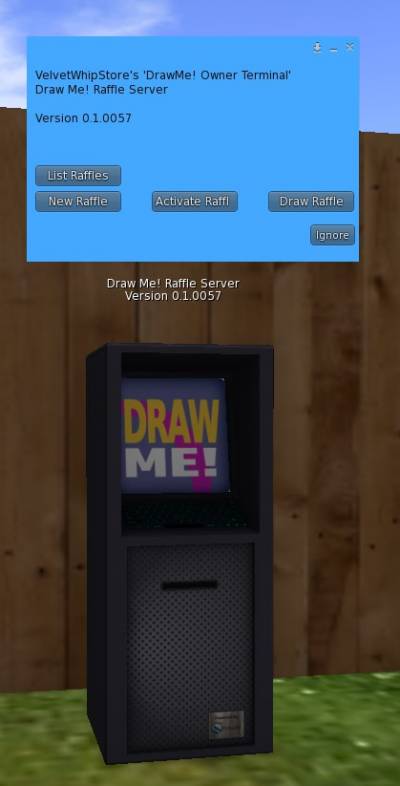 And from this menu you will be allowed to select one of the following options:
List Raffles- Shows you the raffles you may have as active and inactiveNew Raffle- Creates a new raffle (ATTENTION This is the moment you will be billed)Activate Raffle- After creating a raffle, and having defined all the parameters and characteristic of the raffle, you will select this button to actually activate the selected raffleDraw Raffle- From this button you will actually pick the winner
List Raffles
Clicking this button you will receive in world the list of active and inactive raffles.
Please note that of course the result may easily be 0, if you have no raffles in that states
Please also note that old raffles (archived ones) can be seen only in the web interface
| In world message | Manage Me interface |
|---|---|
 |  |
New Raffle
When you click on this button (surprise surprise!) you will be asked to name your new raffle
 A message from the postmaster will confirm that it has been created.
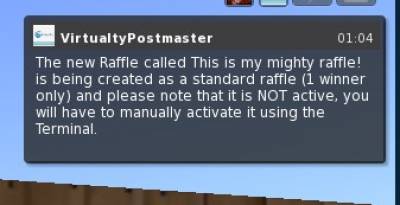 PLEASE NOTE The Raffle has NOT been activated, it has just been created.
The reason why the raffle is not active the moment you create it, is because you may want to change who is allowed to access it (aka everybody or only people in a specific group), hence I prefer you to manually activate it in order to you to be completely sure what you are doing.
Activate Raffle
Once you have created the Raffle, you can activate it.
Selecting the Activate Raffle button a new dialog will be shown.
If you have several raffle to activate, you will have more than one element, and of course more than one button
 and a message in world will inform you that everything is active
 You can see that the raffle is active also clicking on the button
 List Raffles
 Next step will be to go to Manage Me! to define who will be allowed to enrol in your Raffle
Draw Raffle
When you click on this button you will either be asked if you want to decide the winners of the raffle, OR decide to deactivate it.

Winners- Shows you the winner for the raffleDeactivate- Deactivated the specific raffle, so that it will NOT accept new users to enter it, and you can, later on, decide to draw the winner
Manage Me!
Manage Me! is the portal used to (surprise surprise) manage the different tools developed with Virtualty.
You need only a password to access all the services we are offering you, to make it easier.
In this case, when you log in Manage Me! and you access the Draw me! portion of the portal, you will be presented with two simple options:
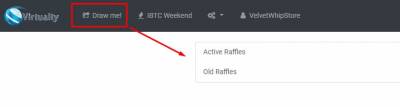
Active Raffles- Shows you the active raffles and allows you to edit themOld Raffles- Link to the old, archived raffles, kept in memory for statistic purposes and so that you do not loose potential customers
Active Raffles
 Once you go to the
 Active Raffles section, you will be presented with the list of ALL the raffles you have active at the moment.
In a glance you can see how many people already subscribed to it
 Clicking on the name of the Raffle, you will enter the specific page of the Raffle:
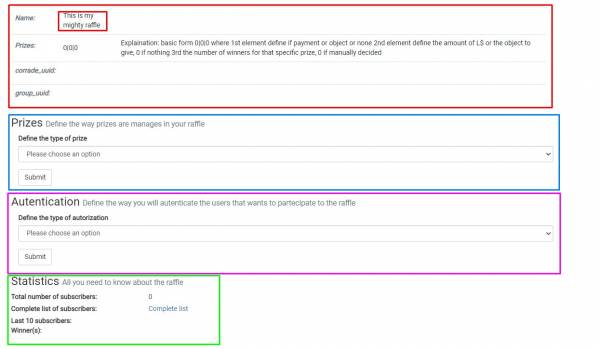 At the moment the only sections that are in use are:
Authentication- Determines the way you want to authorize people to enter your Raffle (if using a group or without authorization)Statistics- Shows- the total number of subscribers,
- allows you to access to the complete list of subscribers
- lists the last 10 ones
- shows the winner, if any
Authentication
In this section you will have to decide who will be able to enrol in your raffle.
 If you select *None* then everybody will be able to enrol for the Raffle
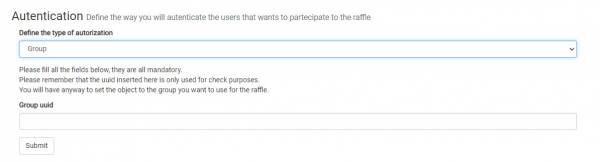 If you select *Group* you HAVE to specify the group that will be used, and the SAME group will have to be used to rez the
 DrawMe! Raffle Script
DrawMe! Raffle Script
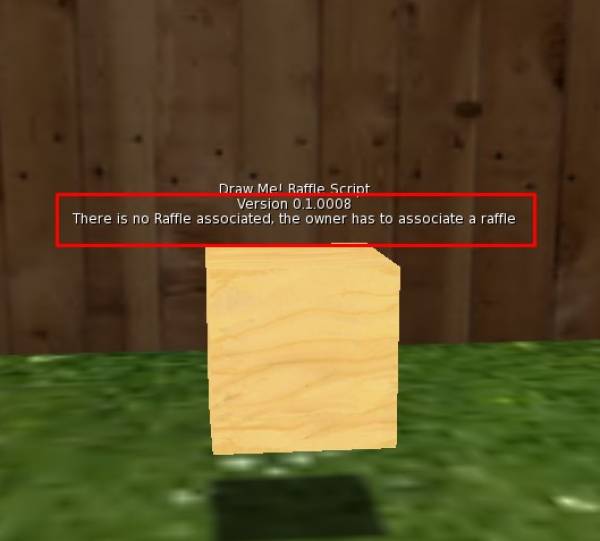 This element (or better, the scripts that are inside) are the ones that will be used to record the people that want to enrol in your Raffle
This element is copy, so you can generate as many of them you want, and they are inert as long as you do not associate them to an *Active* Raffle.
Associate the Raffle
