
Table of Contents
Welcome Me! Welcome Mat system
Script version: 1.25
Last update: 06/08/2022
Welcome Me! is a web based welcome mat tool that offers:
LandmarkGift/ObjectNotecardUrlGroupSubscribe
To the new visitors of your sim/shop/event
Every visit is counted, but only the unique visit in a month are actually shown in the statistics.
You can have as many welcome mat you want, and they will all be independent
It is customable, meaning that you may decide to have or not to have some of the available options, e.g. you may decide NOT to give a gift to the visitors, and it will be very simply done in the web interface
This is a fully operational tool that links Second Life™ with an external platform, accessible via your in-world name and a password that can be retrieved from the Virtualty Office (http://maps.secondlife.com/secondlife/Falcata/70/154/26)
Basic elements
The tool is made of a single element:
Welcome Me!- The object contains a single script,WelcomeMewhich is the heart of the tool
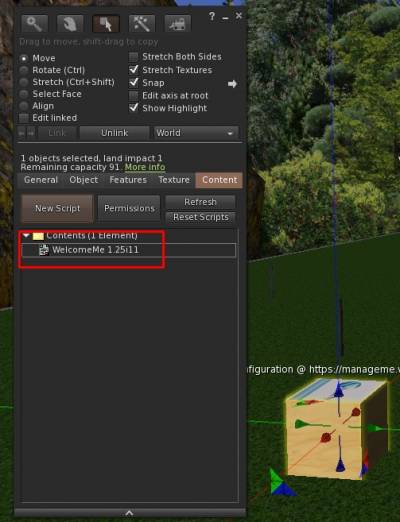 Plus of course the Management website, that can be reached at
https://manageme.virtualty.space/users/login.php
The access credentials can be obtained at Virtualty Office
(http://maps.secondlife.com/secondlife/Falcata/70/154/26)
First Use
First and foremost, this tool is NOT made to work with more than one Welcome Mat. You can of course have several of them, but each and everyone will be independent from one another.
Moreover, it is based on the uuid of the object itself, which means that you cannot take it back in your inventory, put it back down and then imagine it will keep on counting from the previous count.
Please keep it in mind.
The moment you will rez your Welcome Mat, the item will be recorded in your name, and an initial configuration will be set up.
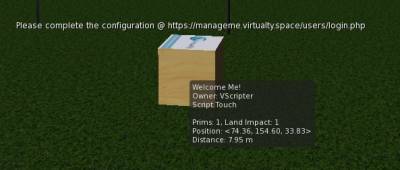
Please note that this is a BASIC configuration, hence the system will NOT activate the Mat, but you will both receive an IM and have the overtext instructing you to go to actually define your own configuration:

Configure the Mat
You will then have to go to Manage Me! and once you logged in, you will have the appropriate icon on the menu bar:
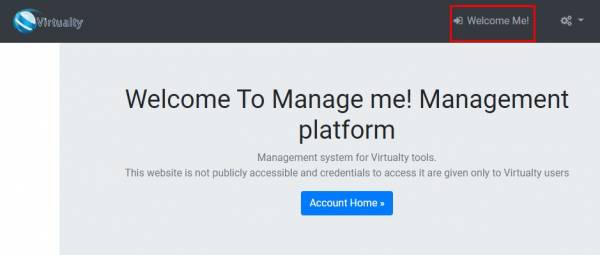
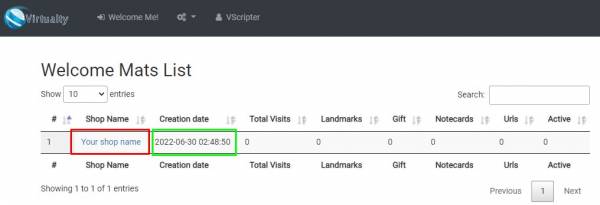 There may be more Mats, of course, so please consider the rez time and the name of the mat, which is of course a generic one
Select the name of the mat to go to the page dedicated to your mat, and then to the Configuration
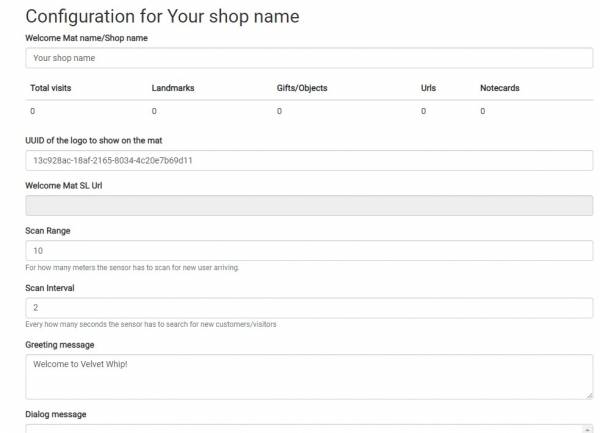
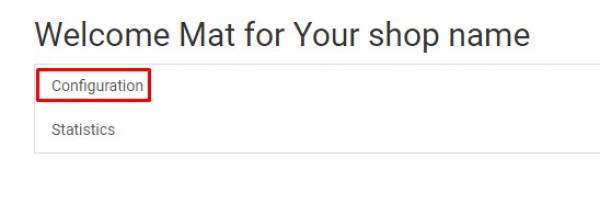 There are a lot of possible different things to configure in the mat, in particular the messages you want the visitors to have, how often it has to scan for visitors, if there will be elements shown to the visitors (buttons to get a gift, landmark, notecard, etc etc)
All this can be configured here
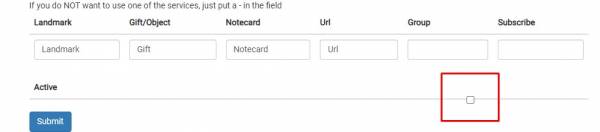
 At the very end of the configuration page there is the
 Active button: that HAS to be selected in order to have the Mat active and working
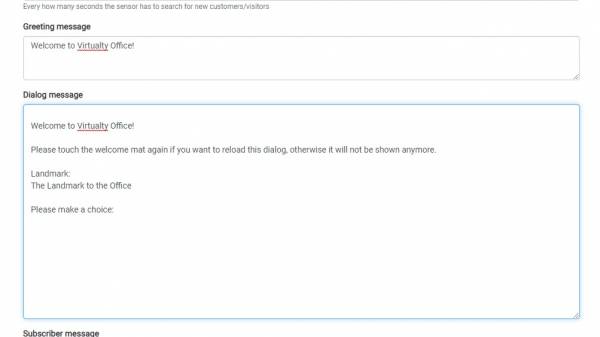
 Of course before clicking on that button, change the messages, and decide what button you want to show to the visitors:
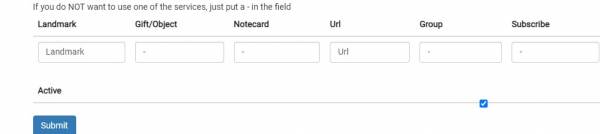 Remember to decide what you want to show to the visitors. If you do not need a feature, just insert a - in the appropriate field.
Activate the box and save
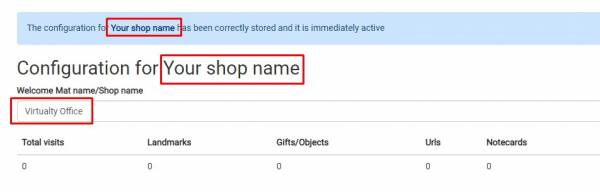 You will see that the title is still wrong, but the content is actually correct
 And that your Welcome Mat is active.
At this point, you just have to go back in world, and click on the Mat to actually activate it (you will see the overtext that will disappear) and then you can place it where you want
 IMPORTANT!
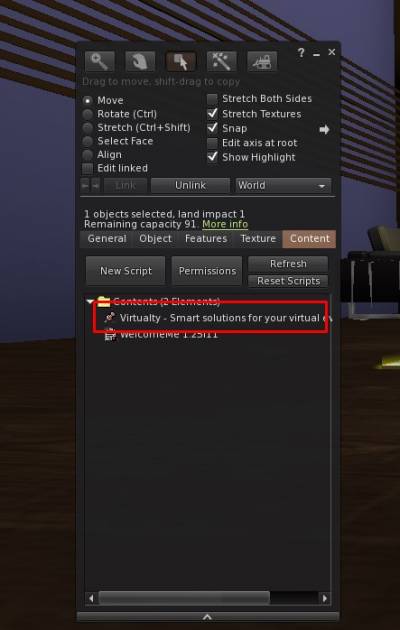
If you had selected an option that requires the Mat to give something, you will have to put it into the Mat itself:
Subscribe
If and only if you have also the Subscribe Me! product, you can add something in the Subscribe field and then link this active Mat to a specific Subscriber .
Please note that this field is used ONLY in conjunction with Subscribe Me!
Statistics
You will probably notice some apparent discrepancies in the statistics and in the main page of the Mat:
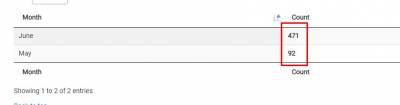
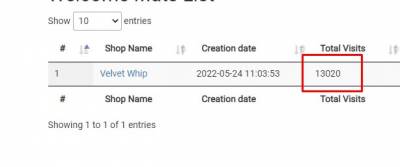 This is due to the fact that the Mat counts ALL the hits, including when the visiting avatar is standing on the landing point (this is of course the higher value, the one you can see in the Welcome Mat List)
The number in the Stats page shows the unique visitors.
A visitor is considered unique if it happens 5 minutes after a previous visit of the same avatar.
Q&A
I configured the Mat, but I still cannot have the overtext to disappear in world!!! Why??
Because probably you forgot to activate the Mat:
I get the message in world but the window does not open!!! Why??
Check if there is not a Script Error. maybe you have a button that is too big (see the next Q&A)
I get a llDialog error in the script warning window!!!
That is because you have created a way too long label for one of the buttons in the menu.
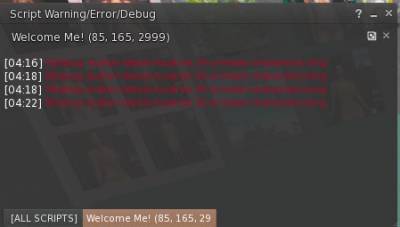 Go back to the
 Configuration and make one of the labels shorter, then click back the Mat in world, and it should be fixed.